Alliance Applications: Public Recruitment for Travian Discord Servers
Hello everyone,
Screenshots captured from the live website on . Select an image to view it at full size.
The new Alliance Applications feature gives Travian alliances a public recruitment page and a structured review flow inside Discord. Instead of asking players to send private messages, copy questions by hand, or wait for an invite link, alliance leaders can publish a listing, collect answers through Discord login, and approve or deny applicants from the server report channel.
The public site is available at alliance-apply.traviandbot.com. Each published alliance gets its own profile and application page.
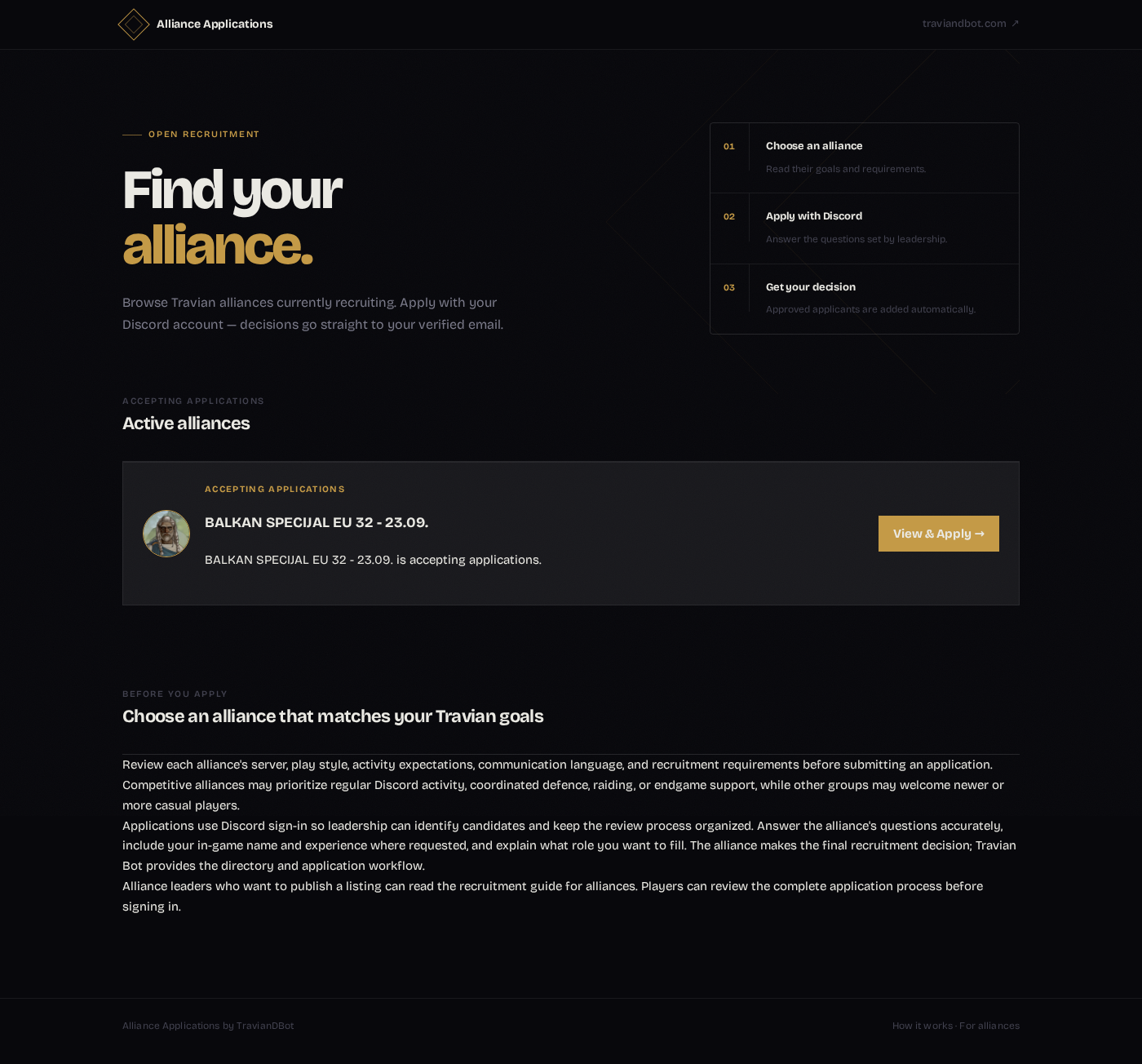
What Players See
Players start from the public directory, choose an alliance, and open its profile. The profile can show the alliance description, Travian server URL, and configured alliance allowlist from the Discord server setup.
When a player clicks Continue with Discord, Discord asks for the permissions needed by the application flow: account identity, verified email, and permission to add the player to the server if leadership approves them. The form only appears after that login step.
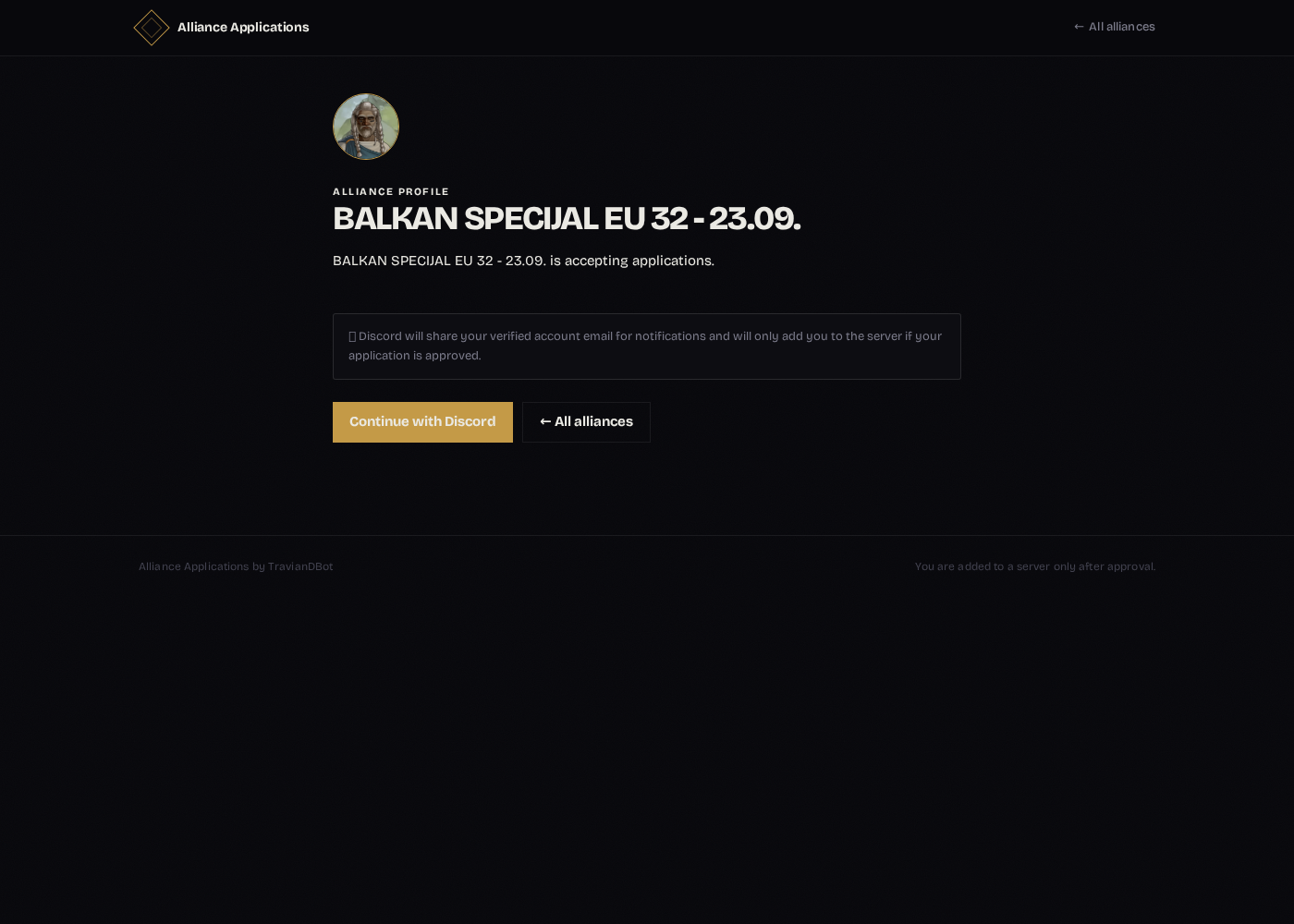
Submitted applications are locked to one application per Discord user per alliance. If a player returns later, they see the recorded status instead of submitting again. If an application is denied, the player can request a one-time waiver and explain why leadership should reconsider.
How Alliance Leaders Set It Up
Admins start with /apply-guild inside their Discord server. The command creates or updates the listing record and returns two private links: an admin editor and the public listing preview.
Only the server owner, configured Admin User, configured Admin Role, or users who pass the bot's admin check can manage the listing. The editor lets leadership write the public description, add up to ten application questions, and choose whether the listing is published in the public directory.
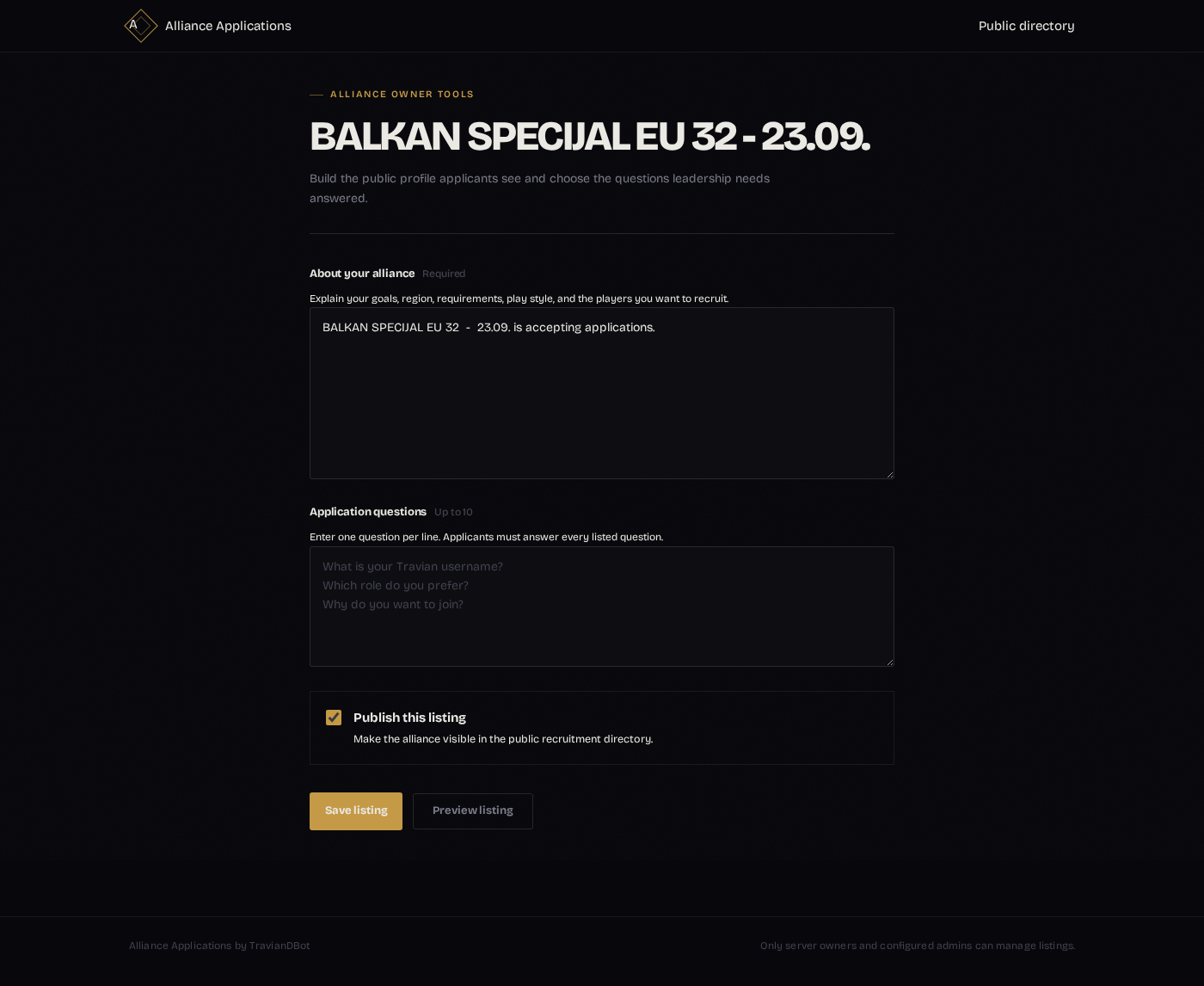
The description should tell applicants what kind of alliance they are joining: play style, expected activity, region or timezone coverage, defensive/offensive needs, artifact plans, and any World Wonder expectations. The questions should be short and useful, because every listed question is required.
What Happens After Submission
When a player submits the form, Travian Bot posts a review embed in the configured report channel. The embed includes the applicant's Discord account and each answer. Admins can click Approve or Deny directly in Discord.
If approved, the bot uses the applicant's Discord authorization to add them to the server and sends an acceptance email. If denied, the applicant receives a denial email. Waiver requests follow the same pattern: the request is posted to the report channel with approve and deny buttons, and leadership records the final decision there.
Why This Matters
Recruitment is one of the messier parts of running a Travian alliance. Leaders need enough information to judge whether a player fits, while applicants need a clear path that does not depend on catching the right officer online. Alliance Applications turns that into a repeatable workflow.
- Players can discover recruiting alliances from one public page.
- Leadership controls the profile and questions without editing code.
- Applications land in the Discord report channel where admins already work.
- Accepted players can be added automatically instead of waiting for a manual invite.
- Email notifications keep applicants informed after submission and decision.
The goal is simple: make recruitment more structured without making it heavy. Alliances still decide who joins, but the bot handles the boring parts around forms, status, review buttons, and decision messages.
Regards,
Max