Alliance Intelligence, Live Extension Chat, and Browser Notifications
Hello everyone,
This update brings three new features to the Travian Bot browser extension. You can now see whether an alliance is connected to Travian Bot while viewing its Travian profile, use live Discord chats without leaving the extension, and receive browser notifications when a new alliance request or chat message arrives.
Download the Extension
The Travian Bot extension is free to download and completely open source. You can view the source code and download the latest version from the Extension-travian-bot repository on GitHub.
/extension-link in Discord to create your own key. Alternatively, a server admin can run /extension-assign, then share the generated signup code with the team so members can request access and receive their extension keys.
Alliance Intelligence Directly on Travian
When you open a numeric alliance profile in Travian, the extension now adds a Travian Bot intelligence card directly to the page. The card checks the alliance ID and shows whether that alliance is connected to a Discord server using Travian Bot.
For a connected alliance, the card shows the Discord server name, server owner user ID, and current Discord member count. The owner ID can also be copied from the card. If more than one Discord server is linked to the same alliance, each matching server is shown separately.
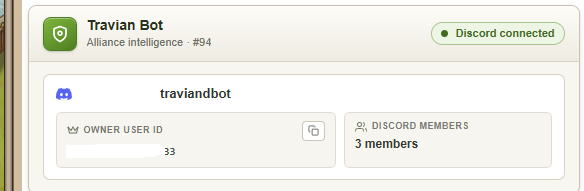
If the alliance is not connected, the card explains how leadership can connect it by running /setup or /extension-link in Discord. This gives players a quick preview of the alliance's Travian Bot connection from the page they are already viewing.
Live Chat Inside the Extension
The extension now has a full-screen operations view for active defence calls, resource pushes, alliance pushes, and fake attack requests. Instead of opening Discord to follow a request, approved extension users can read the complete conversation and reply from the browser.
Messages keep Discord names, avatars, role pings, bot embeds, and image attachments. Images can be pasted or dropped into the message box, so screenshots and other request details can be shared from the same screen.
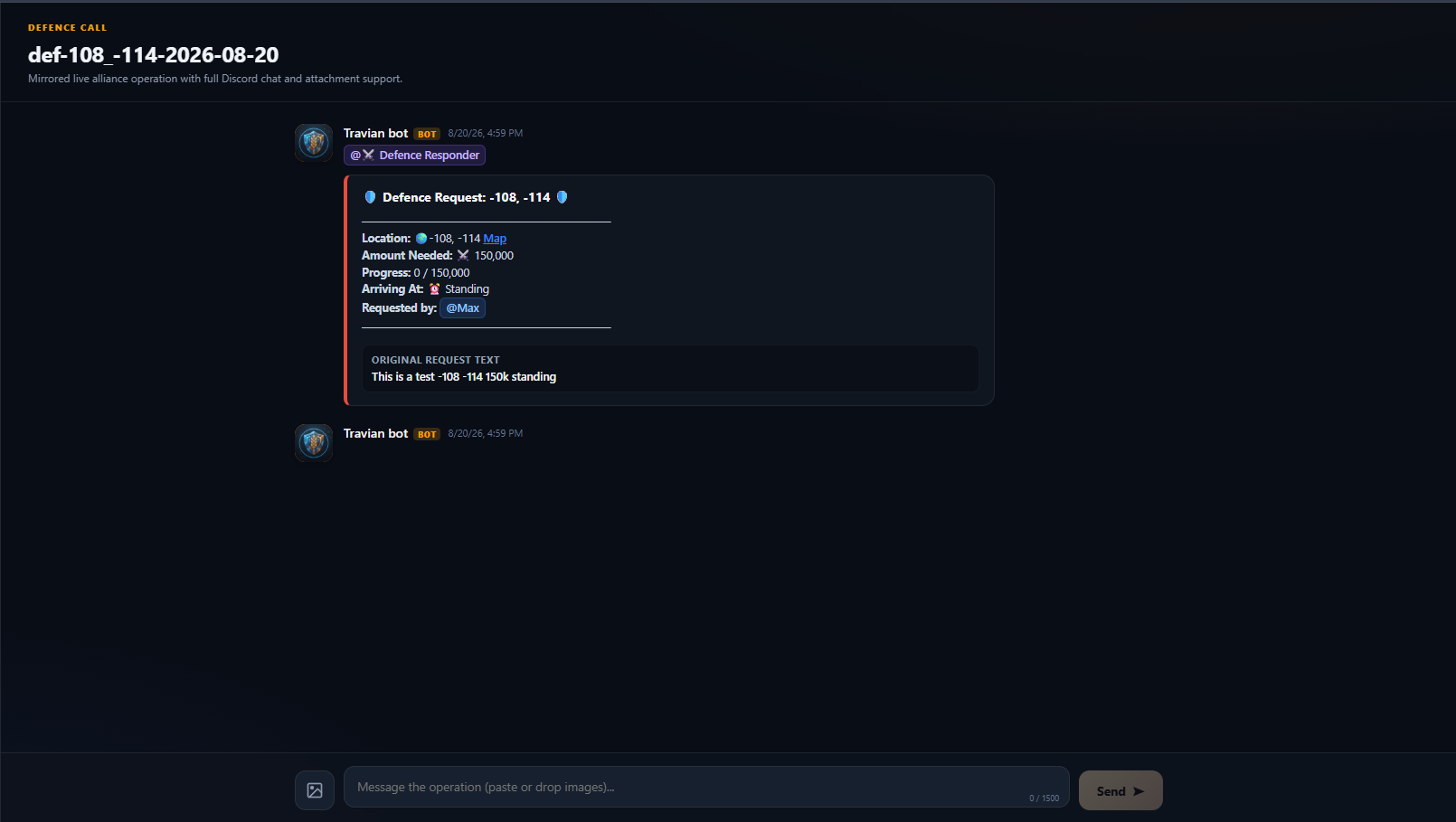
There is also a persistent alliance chat. To enable it, a server admin needs to run /create-extension-channel in Discord. The bot creates the connected channel, and messages then move in both directions: Discord members can speak to approved extension users, and extension replies are posted back into Discord by Travian Bot.
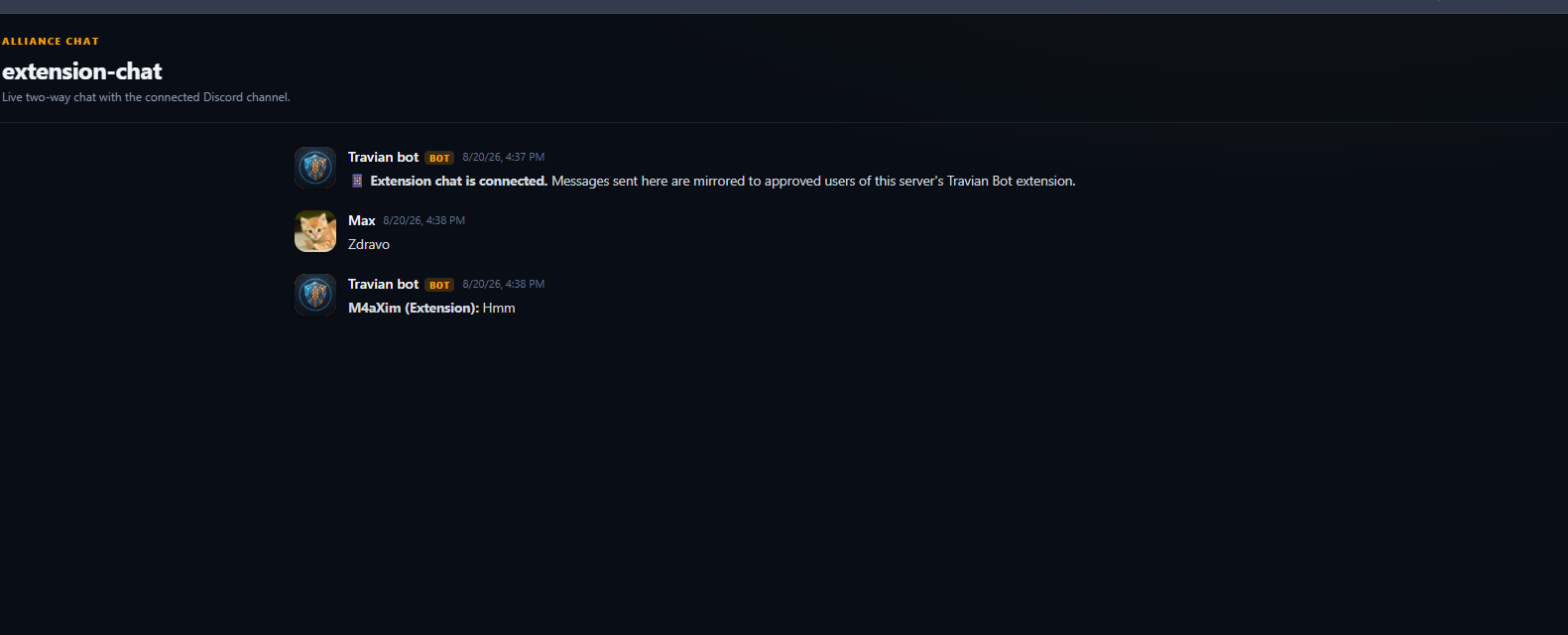
/extension-link to create a key. For team access, an admin can run /extension-assign and share the signup code with alliance members. The persistent Discord chat must be created separately by an admin using /create-extension-channel.
Real-Time Browser Notifications
The extension now sends a browser notification when a new defence call, resource push, alliance push, or fake attack request is created for one of your saved profiles. The alert includes the request type, Discord server, and channel name.
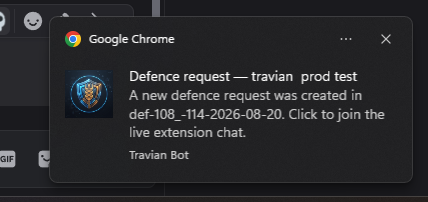
Notifications are delivered through a live connection while the browser is running. The extension also checks again every minute, which helps recover requests missed during a short connection interruption or when Chrome temporarily suspends the extension.
The persistent alliance chat has notifications too. When somebody sends a new Discord message, the alert shows the author and a preview of the message, or tells you when an attachment was sent. Clicking either type of notification opens the correct chat in the extension.
Why This Matters
The extension is becoming a working bridge between Travian and Discord, not only a button for creating defence calls. Alliance information appears where players need it, live operations can be handled from one browser screen, and important requests no longer depend on somebody noticing a Discord channel in time.
- Check an alliance's Travian Bot connection directly from its Travian profile.
- Follow and reply to active alliance requests without opening Discord.
- Keep a permanent two-way chat between Discord and approved extension users.
- Receive fast notifications for new requests and alliance chat messages.
- Switch between multiple saved extension profiles for different servers or accounts.
The goal is to keep alliance operations close to the game. You can see who is connected, respond to live requests, and stay informed from the same browser you already use for Travian.
Regards,
Max