Travian Channel Transcripts, All Actions, and Worlds Calendar
Hello everyone, welcome to the second update. This update is coming primarily so those who wish to play on Europe 31 can see the new features. Of course, all these updates are available for anyone to play. So let’s go on with the updates.
Transcripts of Channel
After a defence, resource push, or alliance push channel is closed, the bot automatically generates a full transcript of that channel and publishes it as a dedicated page on the website. This page contains the complete channel history, allowing server staff to review, reference, and share the request even after the Discord channel has been deleted.
This transcript feature is included as part of the bot’s paid and trial access. It applies to all tracked request channels created through the bot, including defence requests, resource pushes, and alliance pushes. Once the transcript is generated, the bot posts the transcript link in the audit log channel so admins can access it later.
Example transcript URL format:
https://traviandbot.com/transcripts/<server-id>/<transcript-id>.html
You can enable or disable this feature using the following commands:
/enable-transcript – Enables the transcript
/disable-transcript – Disables it
All Actions
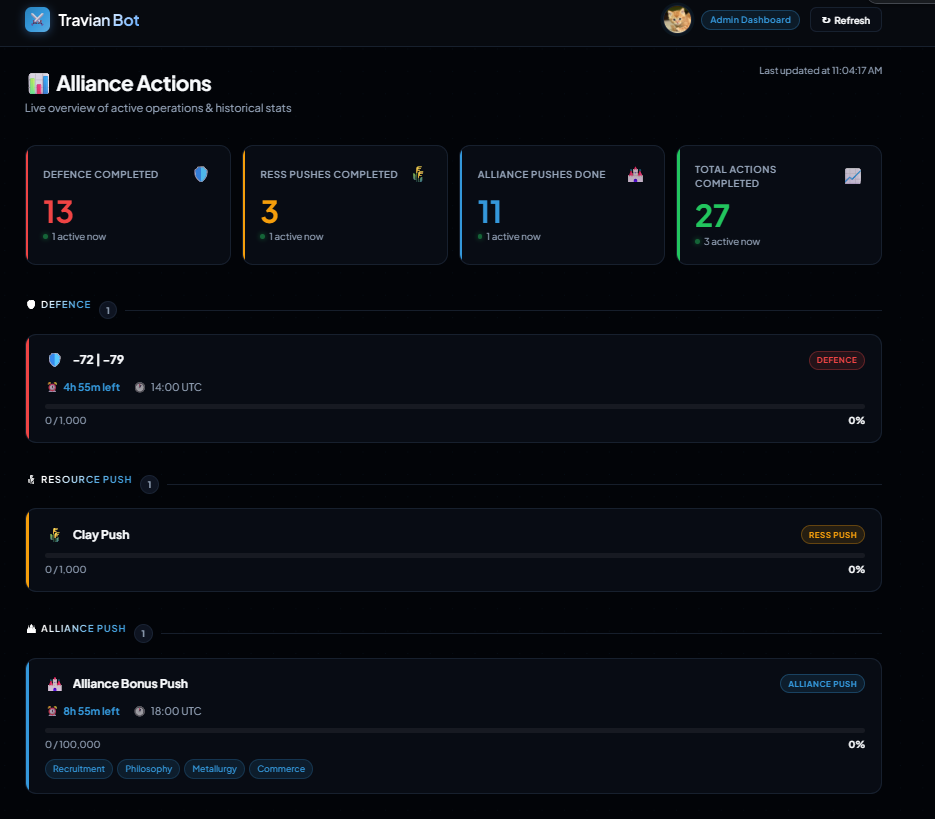
All Actions is a feature that allows users with the Manage Server permission to view all currently active actions across the server in one place. This includes active defence requests, resource pushes, and alliance pushes, making it easier for leadership to monitor ongoing coordination without checking each channel manually.
It provides a live overview of what is happening in the alliance, along with useful overall statistics, so admins can quickly understand which actions are active, how many are in progress, and the current state of server-wide coordination.
You can access All Actions via the /all-actions discord command.
Example picture of opened requests
Calendar
You can now view the calendar of all Travian worlds in Discord by running the /calendar
command.
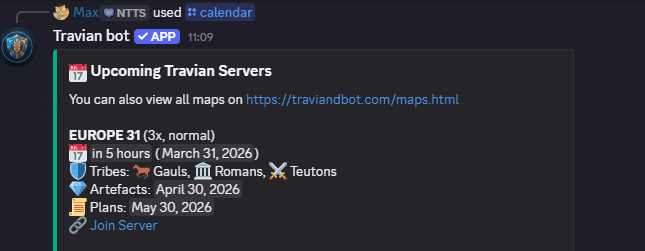
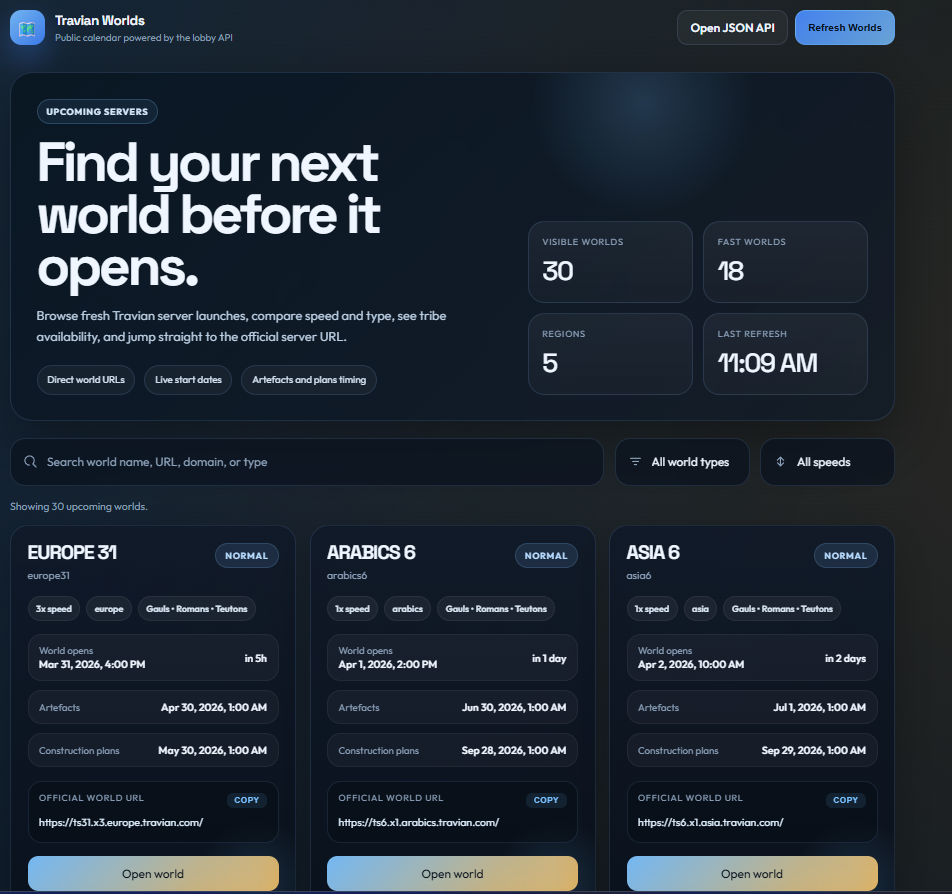
Alternatively, you can visit the website at:
https://traviandbot.com/calendar.html
If you hover in discord over any of the dates, you can see exactly what time the event will occur in your time zone.
On site you can see all of these details as well.
Bugs:
Fixed Travian time-change handling.
That’s all for now. As before, if you have any feedback, questions, or bug reports, please contact me
via the /support command.
Regards,
Max