Linked Discord Channels for Travian Alliance Leadership
Hello everyone,
This update is about a new feature called /link-channels. It is made for admins who manage
more than one Discord server and want a private way to communicate between those servers without making
a public shared space.
What Linked Channels Do
Linked channels create one private admin relay channel in one server and one private admin relay channel in another server. When someone writes in one of those linked channels, the bot forwards the message to the matching linked channel in the other server.
This is not made for public alliance chat. It is designed mainly for leadership communication, cross-server coordination, and situations where admins need to relay information quickly between different teams.
How Setup Works
The setup is done in two steps.
First, an admin in the source server runs /link-channels. The bot then generates a one-time
code that can be shared with the admin in the second server.
Second, the admin in the other server uses /link-channel-code and pastes that code. If
everything is valid, the bot creates one private linked channel in both servers and connects them
together immediately.
Who Can Use It
Only users with Manage Server or the configured admin role can use
/link-channels and /link-channel-code.
The linked channel itself is private by default. Access is granted to the bot, the server owner, the user who created the link in that server, and any configured admin role or admin user if those are set up.
Everyone else on the server is denied access to the channel. However, you can manually add users or roles to the channel if you want them to have access.
Translations and Relayed Messages
After the channels are created, both admins receive a DM asking which language they want incoming linked messages to be translated into.
Right now the supported languages are English, Serbian, Turkish, and German. Until someone chooses a different language, the default is English.
When a message is relayed, the bot forwards the translated version and, when needed, also includes the original text with the detected source language. If the original message was a reply, the relay also includes a short preview of the referenced message.
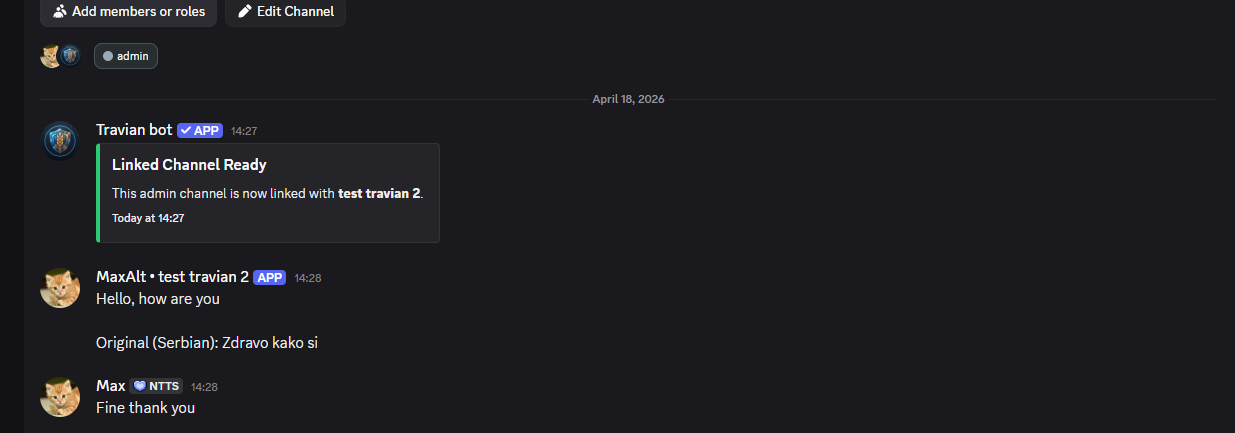
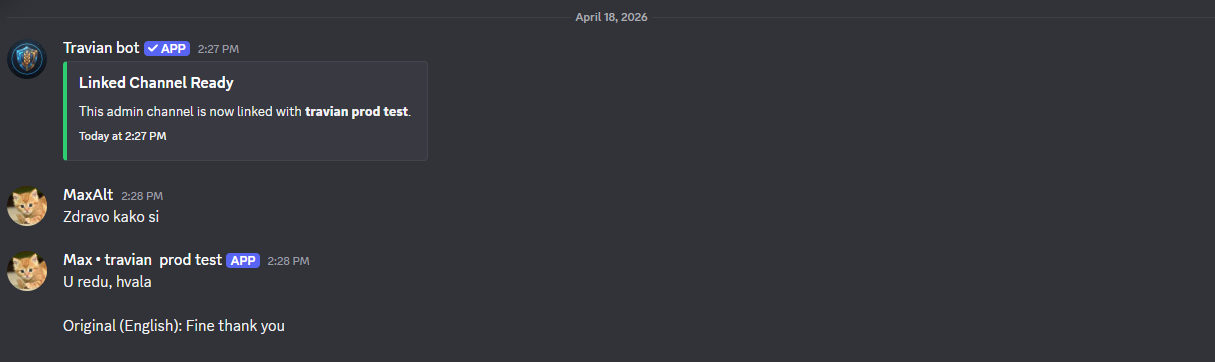
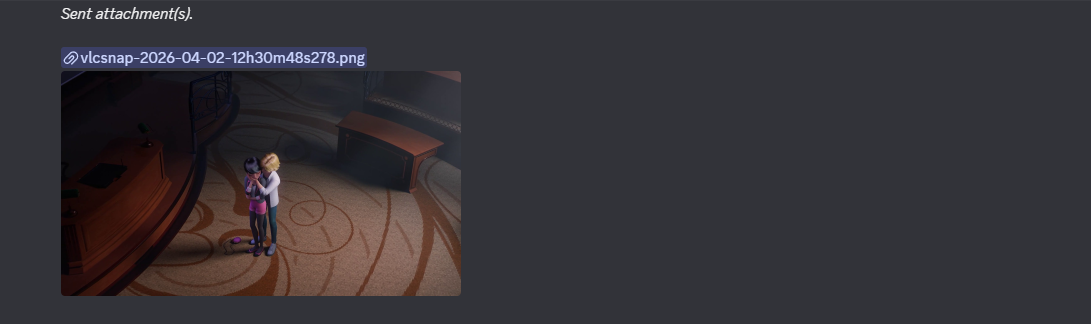
Image attachments can also be relayed, and the forwarded message keeps the sender identity clearer by using their display name together with the source server name.
Limits and Access Tiers
The server that generates the original code must have active access through either a premium key or an active trial. If it has no access, the command will not work.
The number of active linked channels depends on the generating server tier:
key - up to 5 active links
trial - up to 2 active links
none - no active links
Message relay limits also depend on the access tier of both connected servers. The current limits are:
key + key - unlimited
key + trial - 350 messages per 5 hours
key + none - 300 messages per 5 hours
trial + trial - 250 messages per 5 hours
trial + none - 100 messages per 5 hours
none + none - no active relay allowance
If a limit is reached, the bot tells you in the linked channel when the relay will reset.
You can check the current usage and reset timing with /see-limits-channels.
Final Notes
I think this feature will be especially useful for players and admins who coordinate across multiple alliances, wings, or partner servers and want a cleaner way to keep leadership communication in one place.
That should be all for this update. If you have any questions, feedback, or you notice anything not
working correctly, feel free to contact me using /support.
Regards,
Max